Describe it. Watch it get built.
You already have the idea. Describe it, add a picture if you have one, and watch it take shape in front of you. When it is done, it goes straight into your world.
“build the arc de triomphe with the rond point and the road circling around it”
Four builds, and the prompts that made them
One sentence each. That was the whole input.
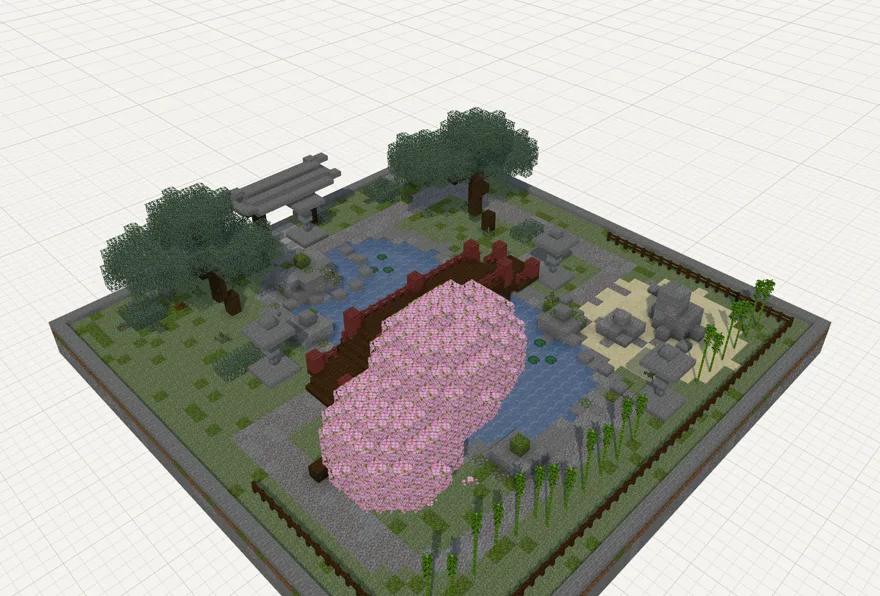
“Lay out a japanese garden with a pond and a bridge”
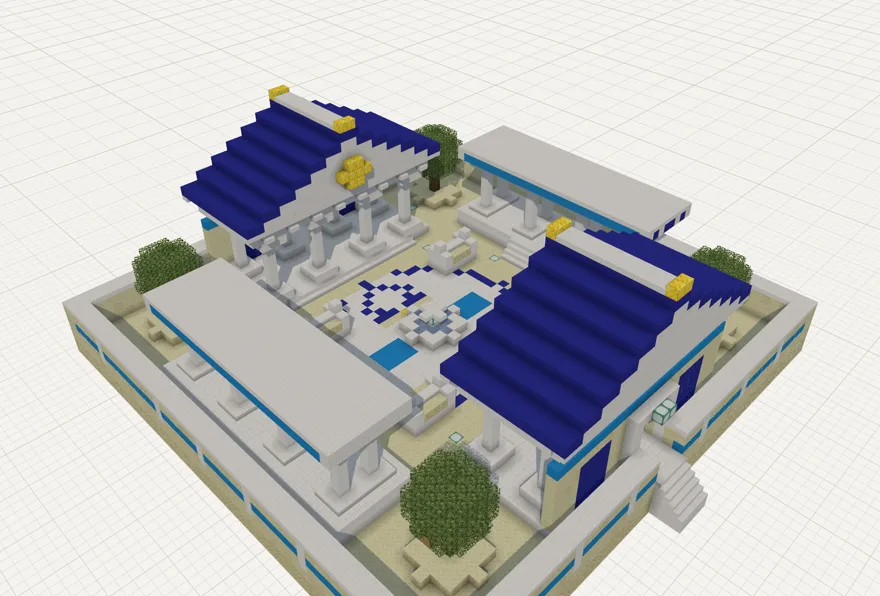
“A nice area on the greek theme for PVP fights”
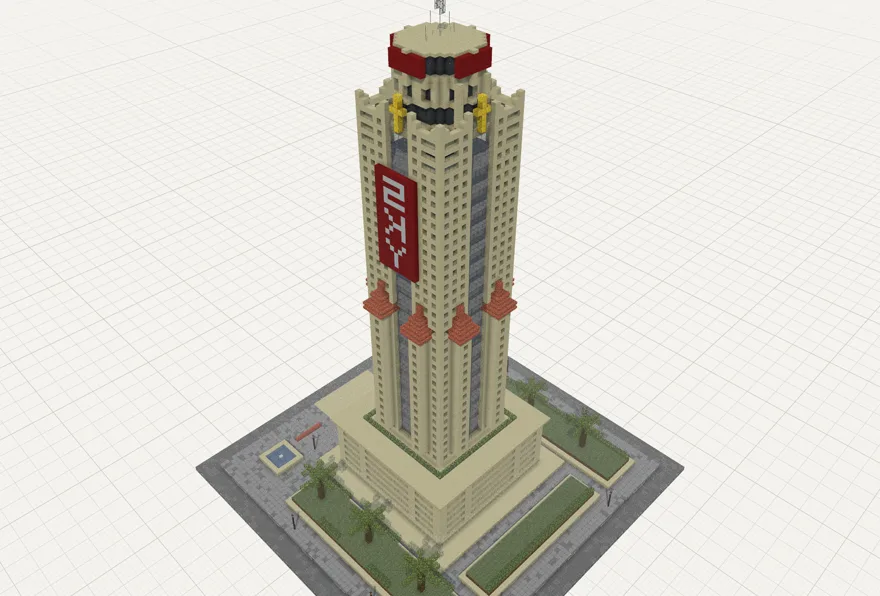
“build the baiyoke tower”
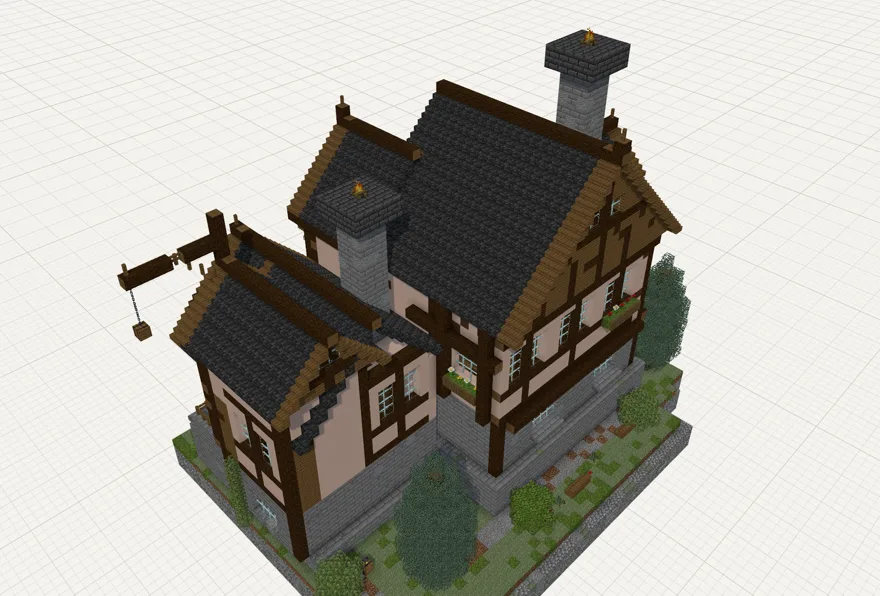
“Build this house”
From a photo and three words
Three steps, and none of them is placing blocks
Bring your idea
A sentence is enough. Add a photo or a sketch if you have one.
Watch it take shape
The build appears in front of you. Change your mind at any point and just say so.
Play in it
Take the finished build into your world and start using it.
The build you have been meaning to make for months, finished this evening. No tutorials, no graph paper, no weekend spent placing blocks one at a time.
It fits the game you already play
Whatever edition you are on and whatever you build with, the finished build drops straight in.
- Works with Litematica, WorldEdit and structure blocks
- Java and Bedrock, both covered
- Change anything later in the editor, or walk around it in 3D first
Frequently asked questions
Will it work in my world?
Yes, on Java or Bedrock. You get a normal schematic file, so it drops in through Litematica, WorldEdit or a structure block like anything else you have used.
Do I need Minecraft running?
No. Everything happens in your browser. You only open the game when you are ready to place the build.
How big can a build be?
Big enough for a house, a monument, a garden or an arena - up to 192 x 112 x 192 blocks. Think one impressive build rather than a whole village.
Can I use it on my phone?
Not yet. It shows a live 3D world beside the chat, so for now it needs a desktop or a laptop.
Can I change things afterwards?
As much as you like. Keep talking to it while it builds, or open the finished build in the editor and move things around yourself.
What if it is not what I pictured?
Say so and it adjusts. It can see the build and remembers everything you have asked for, so “make the roof steeper” is all it takes. Most builds get there after a few rounds.
Does it use modded blocks?
It builds with vanilla blocks, so anyone can open what you make. Schematics that do use modded blocks can still be viewed and converted here.
Start with one sentence
Think of something you have always wanted in your world. Describe it, then go and stand in it.
Start building